The FlagFlow empowers you to control feature flags effortlessly
Define, manage and control them in one UI to enable dynamic application behavior and A/B testing.

More Than Just On/Off Switches
While feature flags started as simple boolean toggles, modern applications need much more. FlagFlow supports a rich variety of flag types to handle any use case.
Boolean
True/false toggles for simple feature switches
Number
Numeric values for limits, percentages, and thresholds
String
Text values for API endpoints, messages, and configurations
JSON
Complex objects for advanced configurations
New Flag Wizard

Step-by-Step Creation
Our intuitive wizard guides you through flag creation with clear steps, validation, and helpful hints.

Smart Naming Conventions
Autocomplete, validation, and suggestions help you follow consistent naming patterns.

Hierarchical Structure
Organize flags in a tree structure for logical grouping, easier navigation, and team-based management.
Learn More
Easy Flag Value Management
Update flag values with a single click. Toggle booleans, adjust numbers, edit strings, or modify JSON objects instantly.

Graph Overview
Visual graph showing flag usage patterns at a glance.
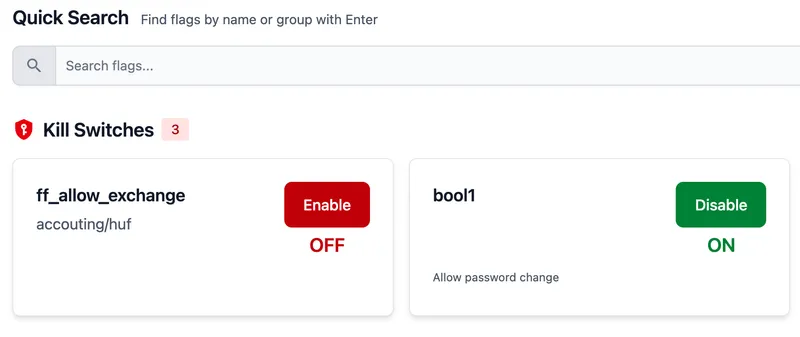
⚠️ Emergency Kill Switch
Quickly disable problematic features with our prominently placed kill switch on the main dashboard. No hunting through menus when every second counts.
- One-click emergency disable
- Prominently displayed on main page
- Immediate global effect
- Audit trail for accountability
Migration & Environment Management
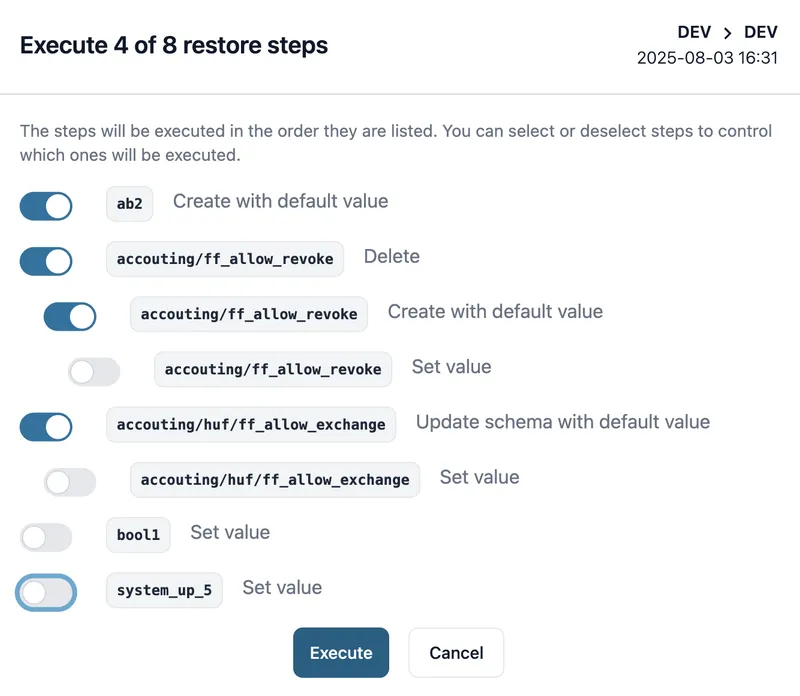
Move configurations between environments with confidence. Export, backup, restore, and migrate your flags with granular control and comprehensive validation.
Type-Safe Code Integration
TypeScript Integration
Generate type-safe interfaces automatically from your flags:
// Auto-generated TypeScript interface
interface FeatureFlags {
  darkMode: boolean;
  maxUsers: number;
  apiEndpoint: string;
  uiConfig: {
    theme: 'light' | 'dark';
    beta: boolean;
  };
}

// Type-safe access
const flags: FeatureFlags = await getFlags();
if (flags.darkMode) {
  applyDarkTheme();
}Zod Runtime Validation
Validate flag data at runtime with automatically generated Zod schemas:
import { z } from 'zod';

// Auto-generated Zod schema
const FlagsSchema = z.object({
  darkMode: z.boolean(),
  maxUsers: z.number().min(1),
  apiEndpoint: z.string().url(),
  uiConfig: z.object({
    theme: z.enum(['light', 'dark']),
    beta: z.boolean()
  })
});

// Runtime validation
const result = FlagsSchema.safeParse(flagData);
if (result.success) {
  // Type-safe flag usage
  console.log(result.data.darkMode);
}Ready to Experience These Features?
Get started with FlagFlow today and see how easy feature flag management can be.
Explore FlagFlow
Discover all the powerful features that make FlagFlow the ideal choice for feature flag management